5. Sigmoid function
Updated: Jun 27, 2019
For the ratio between the color picker and HM image, we would like to pick a curve that makes sense for the science-fiction style image.
As we mentioned in the earlier chapter, science-fiction style image tends to have a darker darkness and a brighter light source than normal image, therefore, a curve that can kind of represent these differences would be great.
For that, we suggest to use a sigmoid function:

For this sigmoid function, we have 4 variables to adjust the curve of the graph.
f(x) = height * ( tanh( curve * ( ( x / 35.f ) - 4 + light) ) + 1 + offset)
we would like to keep the range from the input 0 to 255 to the output 0 to 1.
0 to 255 would be the reference from the HM image, and the output would be the ratio between the source image and the color picker.
We have a "default" setting for the function, which will generate something like the above curve. However, it isn't ideal for generating the science-fiction style image.
height = 0.5f
offset = 0.0f
light = 0.0f
curve = 2.5f
where height represents the height of the sigmoid function, offset represents the position of the sigmoid function, light represents where the curve starts, and curve represents how oblique the curve is.
Something like that:

Let's begin with some examples:

Using two reference for the HM image.


Now, this is the color picker we are using for the example. Since the color is blue-ish to cyan-ish, we should expect the sky remain the same style of color for the output.
For the first HM matching, by adjusting the variable slightly, we will get the below image.


We feel like the darkness in the grass isn't that much, therefore, by decreasing the height and adjusting the offset, we can let the program use more percentages of the color from the color picker instead of the source image. Also, by adjusting the light variable, we can tell the program which brightness is likely the light source. Then, we can see a significant change in the image.


Then, we would like the use the second HM image for the same two functions that we were using for the above two images.


It seems like the function we were using can generate a "close-to-science-fiction-style" image. Therefore, using the same ratio and the HM image, we would like to try it with more color pickers.
(You can check the previous chapter to see where the color pickers came from)

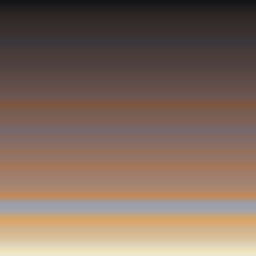


By using the color picker, we can change the entire color scheme of the image into another. However, the color picker is still relying on the reference image. While this could be an option for user to choose, we would like to see if we can generate a color picker for user. User can either pick a color and adjust some variables to generate the color picker, or using some sort of random values. This will be discussed in the later chapter.


Comments